MASTER THE APP
Get rated in 3 simple steps. From creating your secure PIN to logging your first verified match.
STEP 1
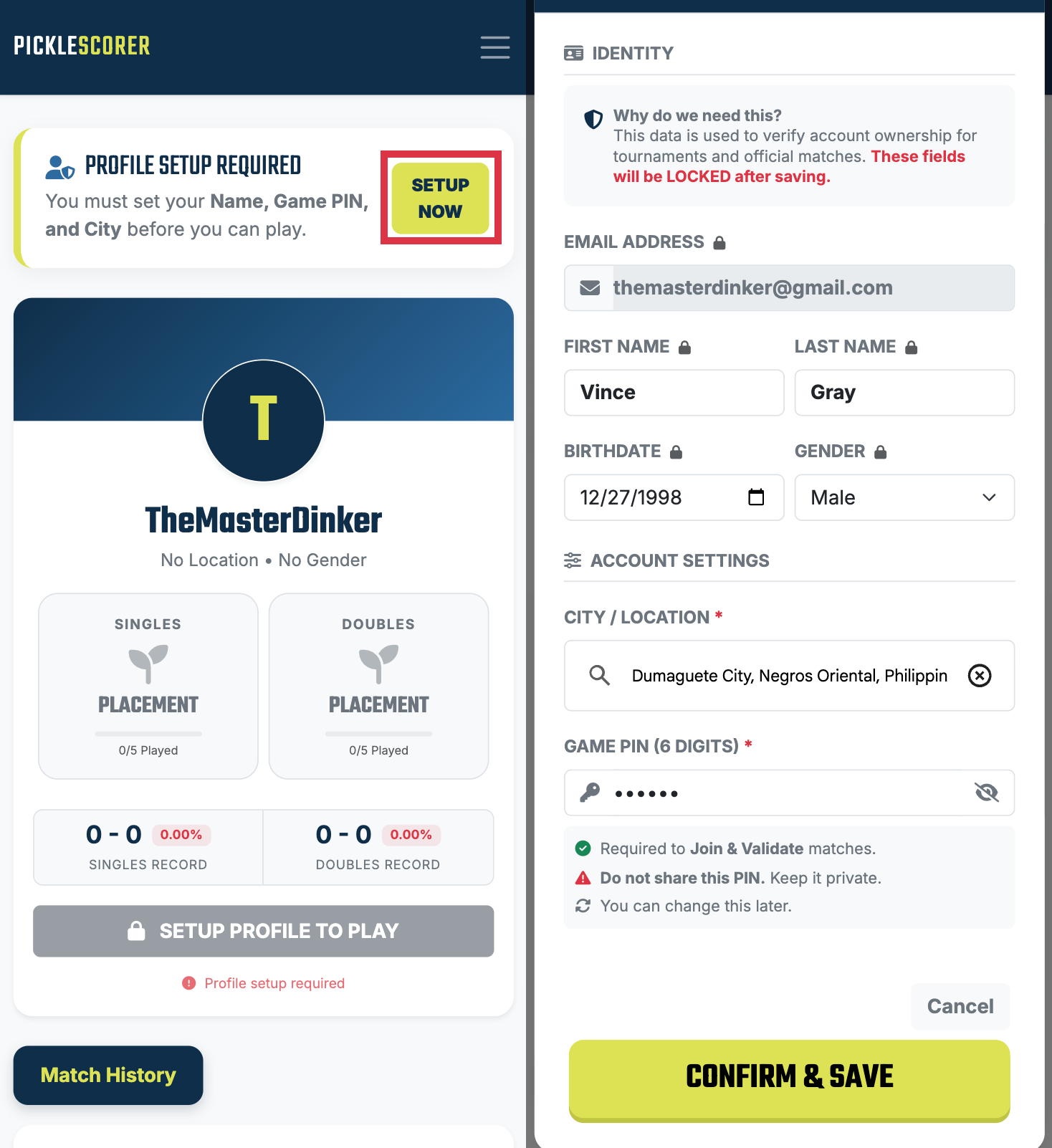
SETUP YOUR PROFILE
Before you can play, we need to verify your identity. This prevents duplicate accounts and ensures the leaderboard is fair.
-
Real Identity: Enter your real name and city. These fields are locked after saving to prevent "smurfing."
-
Create Game PIN: Set a secret 6-digit PIN. You will use this "Digital Signature" to verify every match you play.
STEP 2
START A MATCH
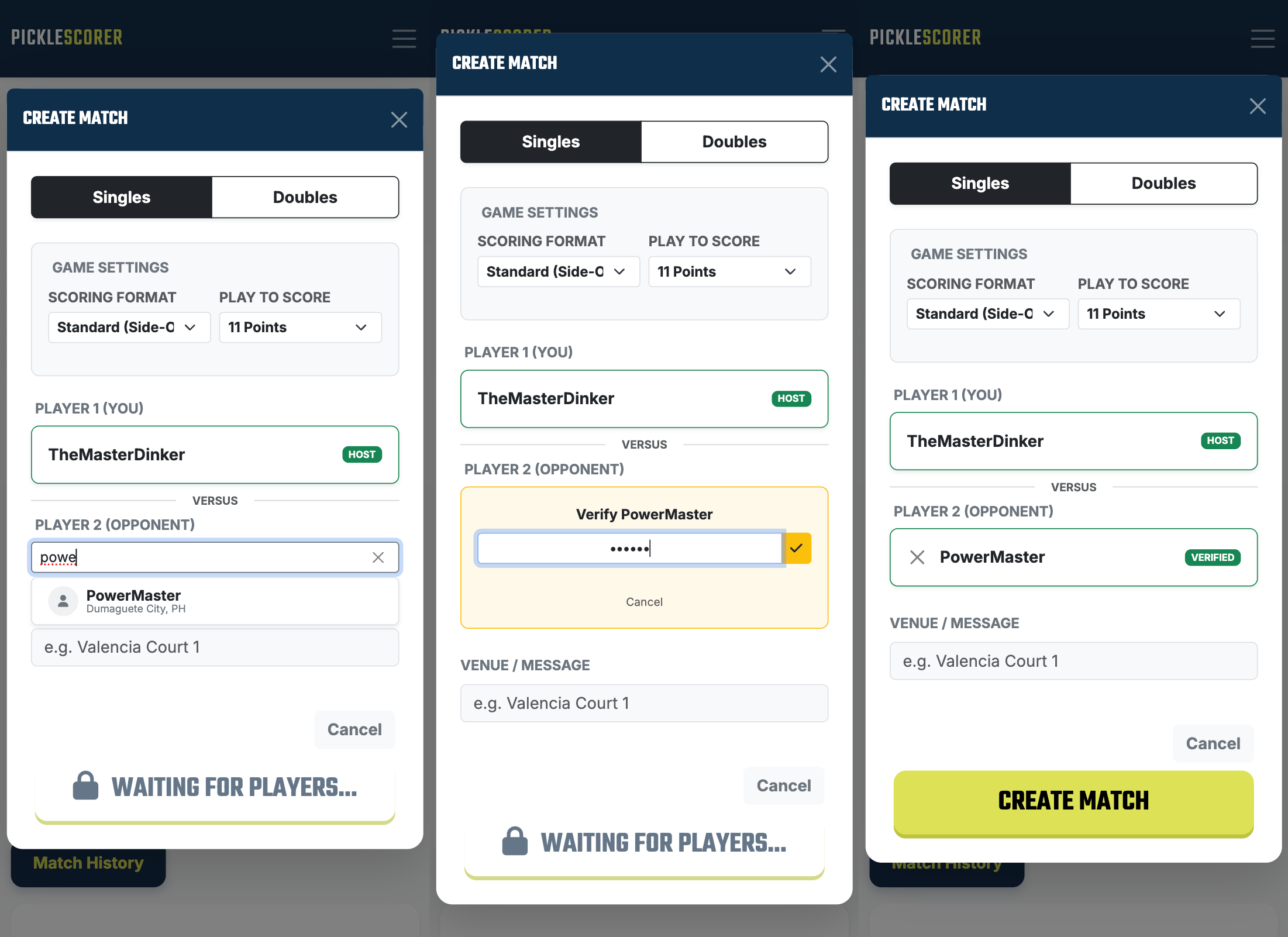
Ready to play? Create a lobby and invite your opponent. We use an in-person "Handshake" to verify the game.
-
Choose Format: Select Singles or Doubles and set the score limit (e.g., Play to 11).
-
The Handshake: Your opponent must enter THEIR PIN on YOUR DEVICE. This proves they are physically present and agree to the match.
STEP 3
LOG & GET RATED
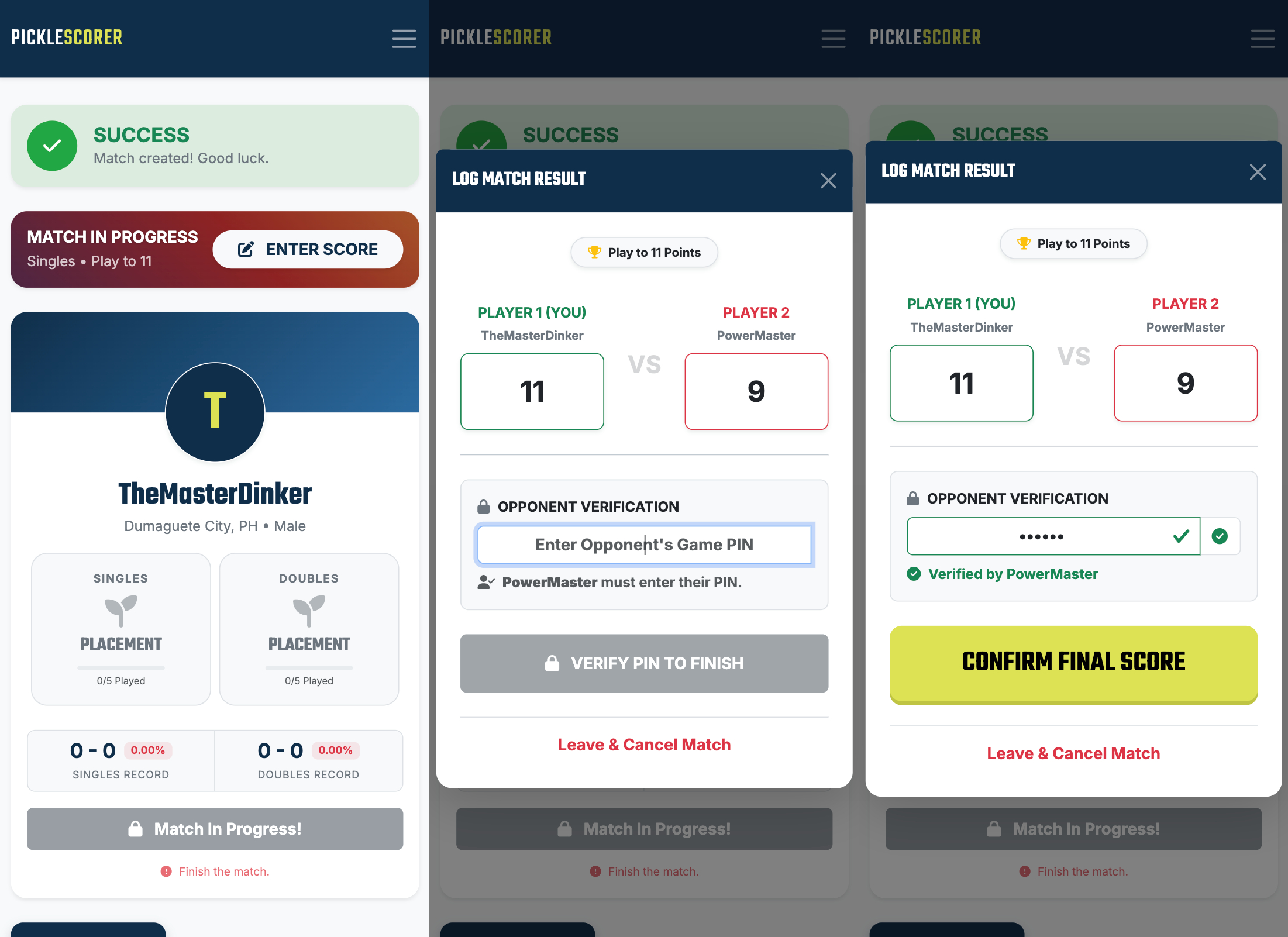
Game over? Enter the final score to update your official Pickleball Standard Rating (PSR) instantly.
-
Enter Score: Type in the final result (e.g., 11 - 9).
-
Final Verification: Your opponent enters their PIN one last time to "Sign Off" on the score. No fake scores allowed!
-
Instant Updates: Your dashboard, win-rate, and leaderboard placement update immediately.
READY TO CLIMB THE RANKS?
Join the community and get your official rating today.